· ai · 22 min read
How to make your app agent-ready
MCP, OAuth, discovery metadata, robots.txt, Content Signals, Web Bot Auth, x402, UCP, ACP. A walk through what each one is, why it exists, and how to implement the ones your app actually needs.

Neciu Dan
Hi there, it's Dan, Senior Engineering Manager at Perk, host of Señors at Scale - a podcast for Senior Engineers, Organizer of ReactJS Barcelona meetup, and international speaker, I'm here to share insights on combining
technology and education to solve real problems.
I write about startup challenges, tech innovations, and the Frontend Development.
Subscribe to join me on this journey of transforming education through technology. Want to discuss
Tech, Frontend or Startup life? Let's connect.
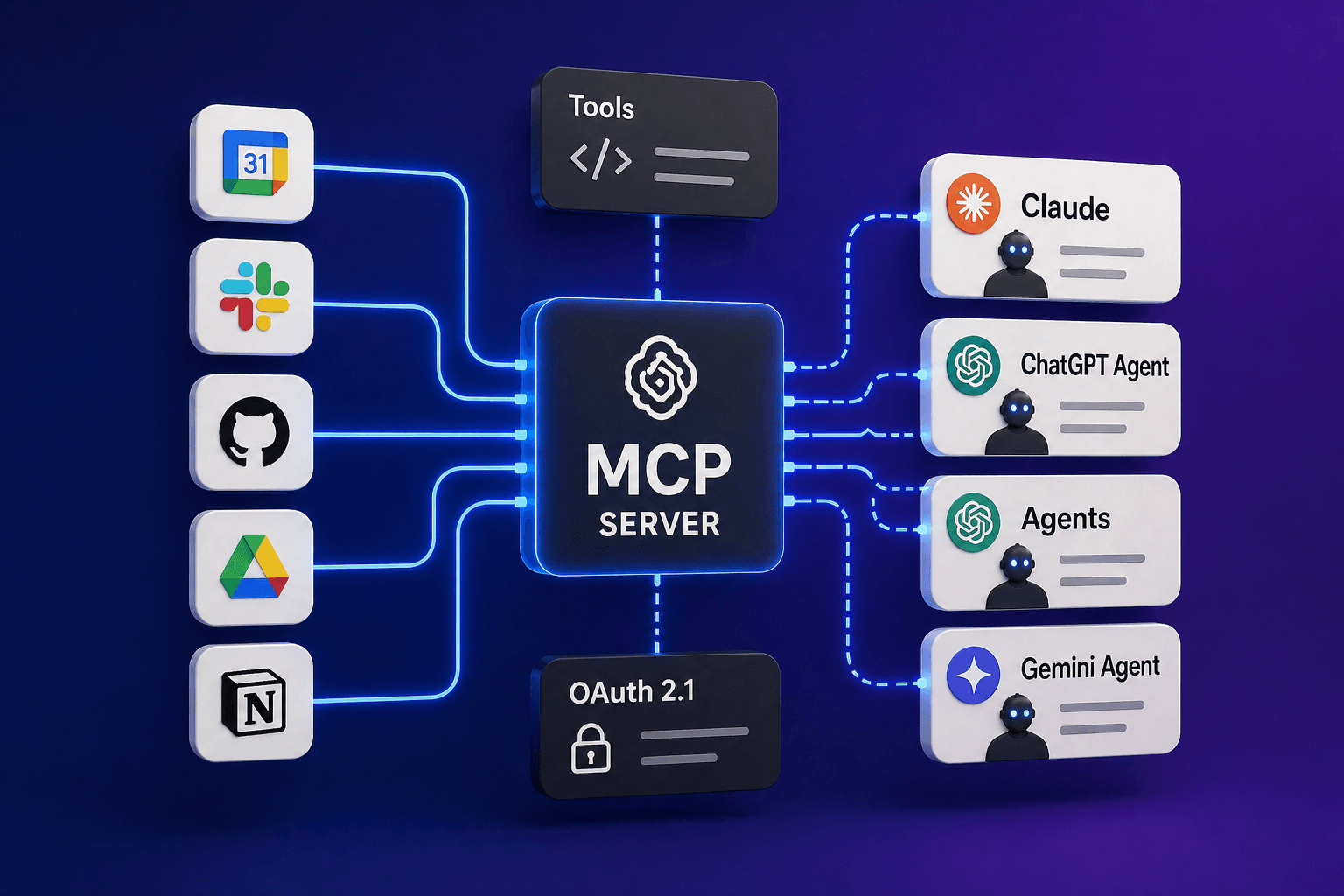
Table of Contents
- The MCP
- 1. The MCP server
- 2. OAuth 2.1 with PKCE and Dynamic Client Registration
- 3. Protocol Discovery: telling agents you exist
- 4. Discoverability: the boring-but-required bits
- 5. Content Accessibility: Markdown content negotiation
- 6. Bot Access Control: who can read your content, who can train on it
- 7. Commerce: x402, UCP, ACP
- Testing it end-to-end
- References
If you’ve ever connected Claude to Figma and watched it move frames around for you, you’ve already talked to an MCP server. Almost every major app right now has an Available MCP server that lets agents interact with the app on your behalf.
This article explains how to build one for our app.
Until recently, I would have rolled my eyes at the idea of building one. I tried the Figma MCP when it came out, and it was slow and sloppy. While I thought the concept was neat, it had a lot of friction that made me doubt the MCP trend.
As months went by, AI models improved, and with them, the MCP speed and how agents used them improved. As usage increased, standards began to emerge for how MCPs should look and work. Then, with these standards in mind, let’s build our own.
First, we need an app.
Imagine someone walking through an airport. They pull out their phone, open Claude or ChatGPT, and type:
Schedule a 30-minute intro with Sarah sarah@acme.com next Tuesday at 2pm. Add a Google Meet link and put “discuss Q2 partnership” in the agenda.
The agent determines which of the user’s connected apps handles calendar invites, calls the appropriate tools, and creates the event. Sarah gets the email a minute later, and the user never opens the app.
The MCP
MCP stands for Model Context Protocol, and while this sounds fancy, the agents are just speaking with our app and calling the endpoints it exposes.
Under the hood, every one of those tool calls is a single HTTP request to your MCP server carrying a small JSON payload.
They look like this:
{
  "jsonrpc": "2.0",
  "id": 1,
  "method": "tools/call",
  "params": {
    "name": "create_invite",
    "arguments": {
      "attendees": ["sarah@acme.com"],
      "starts_at": "2026-04-28T14:00:00-07:00",
      "duration_minutes": 30
    }
  }
}
The agent posts the above JSON; our app runs the action described in the payload, then posts a JSON response.
The rest of the protocol consists of a small amount of machinery around that core exchange, built on top of JSON-RPC 2.0 (a convention for shaping requests as JSON objects with method, params, and id fields).
For any of that to actually work, our app needs to solve four problems at once:
- being findable from nothing but a URL
- letting an unknown agent authenticate as one of your users without any preshared secret
- publishing the shape of its tools
- running them safely when called
Each problem maps onto a standard.
Cloudflare runs a scanner at isitagentready.com that grades your site against most of them.
The scanner groups its checks into five categories:
| Category | What it checks |
|---|---|
| Discoverability | robots.txt, sitemap.xml, Link response headers |
| Content Accessibility | Markdown content negotiation |
| Bot Access Control | AI bot rules, Content Signals, Web Bot Auth |
| Protocol Discovery | MCP Server Card, Agent Skills, WebMCP, API Catalog, OAuth discovery, OAuth Protected Resource |
| Commerce | x402, UCP, ACP |
Not every category matters to every app. We will walk through each category and show where and how to use it.
1. The MCP server
The MCP server is not a separate service or deployment. It’s another route in our app, sitting next to your REST or GraphQL API, and it calls the same business logic.
If our calendar invite functionality is currently created via a POST to /api/invites, the MCP tool for it reaches into the exact function that route calls.
A tool is a named function our app exposes to agents, with typed inputs defined by a JSON Schema. An agent is the software calling those tools on a user’s behalf: the Claude desktop app, ChatGPT, a Cursor IDE session.
Inside that agent is an MCP client doing the actual HTTP calls.
The entire MCP server has a single endpoint, typically POST /mcp, and every request is a JSON-RPC 2.0 message. The transport is called Streamable HTTP: a standard HTTP POST that can either return a normal JSON response or upgrade to a streaming Server-Sent Events response for long-running tool calls.
Everything that follows shows you the raw JSON so you can see what’s on the wire, but for anything production-bound, reach for the official MCP SDK (@modelcontextprotocol/sdk for TypeScript, equivalents for Python and Go).
The SDK handles JSON-RPC framing, the mandatory methods, and the Streamable HTTP transport for you, but to learn how it works, let’s build our own.
Every MCP server has to implement three JSON-RPC methods. These are what the agent calls on our app’s /mcp endpoint to get anything done:
initializeis the handshake. The agent tells our app its protocol version; our app (the server) then responds with ours, along with a list of capabilities we support.tools/listreturns the catalog of tools the agent can call.tools/callinvokes a named tool with arguments.
There are optional methods for resources, prompts, sampling, and progress notifications. Most apps never need them, but be aware that they exist.
Initialize
The agent sends:
{
  "jsonrpc": "2.0",
  "id": 1,
  "method": "initialize",
  "params": {
    "protocolVersion": "2024-11-05",
    "capabilities": {},
    "clientInfo": { "name": "claude-code", "version": "2.3.0" }
  }
}
Our response advertises what our app can do:
{
  "jsonrpc": "2.0",
  "id": 1,
  "result": {
    "protocolVersion": "2024-11-05",
    "capabilities": { "tools": {} },
    "serverInfo": { "name": "my-app-mcp", "version": "1.0.0" }
  }
}
The empty tools: {} is deliberate. It tells the client “I support tools” without claiming optional sub-features, such as listChanged notifications (a mechanism that lets the server push a message to the client to notify it that its tool catalog has changed mid-session).
tools/list
Once the handshake is done, the agent fetches the catalog:
{
  "jsonrpc": "2.0",
  "id": 2,
  "method": "tools/list",
  "params": {}
}
Our response is an array of tool descriptors. Each one has a name, a description (the agent reads this to decide when to call the tool), and a JSON Schema for its input:
{
  "jsonrpc": "2.0",
  "id": 2,
  "result": {
    "tools": [
      {
        "name": "create_invite",
        "description": "Create and send a calendar invite to one or more attendees.",
        "inputSchema": {
          "type": "object",
          "properties": {
            "attendees": { "type": "array", "items": { "type": "string", "format": "email" } },
            "starts_at": { "type": "string", "description": "ISO 8601 datetime" },
            "duration_minutes": { "type": "integer", "minimum": 5, "maximum": 480 }
          },
          "required": ["attendees", "starts_at", "duration_minutes"]
        }
      }
    ]
  }
}
The description field does more work than any other field in the schema.
The agent reads it as prose and uses it to decide when to reach for the tool. Treat it like a one-line docstring written for a colleague who has never used your API.
“Create and send a calendar invite” works; “Create an invite object” leaves the agent guessing whether calling the tool actually sends anything.
tools/call
When the agent invokes a tool, it sends:
{
  "jsonrpc": "2.0",
  "id": 3,
  "method": "tools/call",
  "params": {
    "name": "create_invite",
    "arguments": {
      "attendees": ["sarah@acme.com"],
      "starts_at": "2026-04-28T14:00:00-07:00",
      "duration_minutes": 30
    }
  }
}
Our response wraps the result in a content array:
{
  "jsonrpc": "2.0",
  "id": 3,
  "result": {
    "content": [
      { "type": "text", "text": "{\"event_id\":\"evt_abc\",\"status\":\"confirmed\"}" }
    ],
    "isError": false
  }
}
The content array can hold multiple blocks of different types (text, image, resource), but for most tool results, you just want one text block with the JSON stringified.
The agent parses the JSON and continues.
Tool design
Whether the agent uses our tool correctly comes down to three things.
Naming. Verbs are clearer than nouns. create_invite beats invite, and avoid subject-verb inversions like event_cancel when cancel_event reads more naturally. Stick to snake_case and keep it short.
Description. One sentence. State what the tool does and any side effects (does it send an email, write to a database, charge a card). If the tool has a scheduled mode, say so: “Create and send an invite immediately, or pass scheduled_send_at to queue it for later.”
Schema tightness. Required fields should actually be required. Use enum for closed sets ("status": { "enum": ["confirmed", "tentative"] }), add a description to every non-obvious field, and set minimum/maximum on numbers. The tighter the schema, the more reliably the agent fills it.
Errors
Tool errors go in the JSON-RPC error field. The outer code uses a number from the JSON-RPC server error range (-32000 to -32099, which are reserved for application-defined server errors).
The useful information goes in data, where you put your own stable string code and a human-readable message:
{
  "jsonrpc": "2.0",
  "id": 3,
  "error": {
    "code": -32000,
    "message": "Tool execution failed",
    "data": {
      "code": "CALENDAR_NOT_FOUND",
      "message": "No calendar with id cal_xyz"
    }
  }
}
Agents switch on data.code; humans read data.message. Keep the data.code values uppercase and stable across versions so agents can build reliable branches against them.
Never put stack traces or database errors in the response; log those server-side with a request ID and return a generic INTERNAL_ERROR string to the client.
2. OAuth 2.1 with PKCE and Dynamic Client Registration
The MCP server needs to know which user is making each request. Agents don’t use session cookies from your web app; they use Bearer tokens, which come from OAuth.
If you’ve only ever used OAuth as the “sign in with Google” button, here’s the 60-second version of what’s actually happening.
The user clicks a link that takes them to your consent page. They click Allow. Your server hands the agent a short-lived authorization code and redirects back. The agent trades that code at a token endpoint for a long-lived access token (what it actually uses on subsequent requests) and a refresh token (what it uses to get a new access token when the current one expires).
That’s the whole dance. Access tokens are included with every API call in the Authorization: Bearer <token> header. Refresh tokens are stored in the agent’s storage and used only when the access token has expired.
But three pieces make the agent case different from a traditional “sign in with X” button.
First, you don’t know in advance which agents will show up; that’s what Dynamic Client Registration (DCR, RFC 7591) solves, by letting the agent POST its metadata to your server and receive a client_id on the spot.
Second, the agent has no way to keep a traditional “client secret” secure, because it’s running on someone else’s machine; that’s what PKCE (Proof Key for Code Exchange, RFC 7636) solves. The agent generates a random string, hashes it, sends the hash with the initial redirect, and reveals the original string only when it trades the code for a token. Your server verifies the two match.
Third, all of this is now standardized under OAuth 2.1, which tightens the older OAuth 2.0 spec by requiring PKCE, dropping the insecure “implicit flow,” and mandating refresh-token rotation.
That’s the mental model. The implementation below lines up with it piece for piece.
The endpoints
Seven routes, each thin:
| Path | Purpose |
|---|---|
GET /.well-known/oauth-authorization-server | RFC 8414 discovery |
GET /.well-known/oauth-protected-resource | RFC 9728 discovery |
POST /oauth/register | Dynamic Client Registration |
GET /oauth/authorize | Consent page |
POST /oauth/authorize | Consent form submit |
POST /oauth/token | Code exchange + refresh |
POST /oauth/revoke | Token revocation |
The two discovery endpoints are pure JSON. The authorization-server one looks like this, as a framework-neutral handler:
// GET /.well-known/oauth-authorization-server
async function handler(request: Request): Promise<Response> {
  const url = new URL(request.url);
  const base = `${url.protocol}//${url.host}`;

  return Response.json({
    issuer: base,
    authorization_endpoint: `${base}/oauth/authorize`,
    token_endpoint: `${base}/oauth/token`,
    revocation_endpoint: `${base}/oauth/revoke`,
    registration_endpoint: `${base}/oauth/register`,
    response_types_supported: ['code'],
    grant_types_supported: ['authorization_code', 'refresh_token'],
    code_challenge_methods_supported: ['S256'],
    token_endpoint_auth_methods_supported: ['none'],
  });
}
Derive the base URL from the request, not from an environment variable. Staging, preview, and primary hostnames all need to see their own hostname in the metadata.
The MCP client on the agent’s side rejects mismatches between the hostname it connected to and the issuer it sees, so a hardcoded production URL served from a preview deployment will break the handshake.
The flow
- Agent POSTs
/oauth/registerwith its name and allowed redirect URIs; gets back aclient_id. - Agent opens the user’s browser to
/oauth/authorize?client_id=...&redirect_uri=...&code_challenge=...&state=.... - Our app server checks if a user session exists; if not, it redirects to your existing login flow with a return URL that points back at this authorize request.
- With a session, render the consent page. User clicks Allow.
- Server generates a one-time authorization code, stores the hashed code and the PKCE challenge, and redirects back to
redirect_uri?code=...&state=.... - Agent POSTs
/oauth/tokenwithgrant_type=authorization_code, the code, the PKCEcode_verifier, and theclient_id. - Server verifies PKCE (
sha256(verifier) === stored_challenge), atomically marks the code consumed, issues an access token plus a refresh token, and returns both.
Token shape
Opaque random 32-byte tokens are simpler than JWTs and much easier to revoke.
Store the SHA-256 hash in the database, not the raw token. On every MCP request, hash the incoming Bearer token and look up the hash; if it matches a row that hasn’t been revoked, you have your user.
One agent_grants table with access_token_hash and refresh_token_hash columns covers this.
JWTs are worth the extra complexity when you have multiple resource servers that can’t share an auth database, which most apps don’t.
Things to get right up front
A few details are easy to miss, and each one has bitten someone I know.
Exact-match redirect URIs. No wildcards, no prefix matching. https://a.test/cb must not match https://a.test/cb/extra.
Loose redirect_uri handling is the most common way homegrown OAuth gets attacked in the wild.
Atomic authorization-code consumption. The code must be single-use. Enforce it at the database level, not in application code:
update agent_auth_codes
set consumed_at = now()
where code_hash = $1 and consumed_at is null
returning *;
If zero rows come back, the code was reused. Reject. A two-step “select then update” has a race window where replay attacks live.
Refresh-token rotation. When the agent exchanges a refresh token, invalidate the old one and issue a brand-new pair. If a stale refresh token is presented again, treat it as a stolen token and revoke the entire grant.
Authenticated queries from MCP handlers
If your app relies on Row Level Security policies that read the current user from a session cookie (Supabase does this out of the box, and it’s a pattern people set up manually on plain Postgres, too), the MCP handler is a surprise.
Agents arrive with a Bearer token, not a cookie. The session-scoped database client still runs, but the current-user function returns null, and every RLS-protected query silently returns zero rows.
Use your database’s service-role client for the OAuth endpoints and for /mcp. Service-role bypasses RLS; your handler now has to attach the right user_id filter to every query itself. The MCP handler already knows who the user is from the Bearer token it just verified, so this is mechanical, but it has to be explicit on every query.
If your app doesn’t use RLS and authorization is handled in application code, none of this applies; the MCP handler just has to pass the verified user ID into whatever authorization checks you already run.
3. Protocol Discovery: telling agents you exist
Once the MCP server and OAuth server are live, an agent that starts with nothing but your URL must navigate from the homepage to the MCP endpoint. The standards in this section are the trail of breadcrumbs.
MCP Server Card
A JSON file at /.well-known/mcp/server-card.json advertises your MCP endpoint and how to authenticate:
{
  "schemaVersion": "2025-11-01",
  "serverInfo": { "name": "my-app-mcp", "version": "1.0.0" },
  "transport": { "type": "streamable-http", "endpoint": "https://my-app.com/mcp" },
  "auth": {
    "type": "oauth2",
    "authorizationServer": "https://my-app.com/.well-known/oauth-authorization-server",
    "resourceMetadata": "https://my-app.com/.well-known/oauth-protected-resource"
  },
  "capabilities": { "tools": {} }
}
The server card is specified in SEP-1649, which is a proposal rather than a ratified spec, but it’s in wide informal use, and the Cloudflare scanner checks for it.
OAuth Protected Resource
A second JSON file at /.well-known/oauth-protected-resource tells the agent that your /mcp endpoint is OAuth-protected and which authorization server guards it:
{
  "resource": "https://my-app.com/mcp",
  "authorization_servers": ["https://my-app.com"],
  "bearer_methods_supported": ["header"],
  "resource_documentation": "https://my-app.com/docs/agents"
}
Combined with the OAuth authorization-server metadata from the previous section, that covers everything an agent needs to authenticate against your server without any prior knowledge of it.
API Catalog
A linkset file at /.well-known/api-catalog (specified by RFC 9727) is the umbrella index that points at everything:
{
  "linkset": [{
    "anchor": "https://my-app.com/",
    "service-desc":  [{ "href": "https://my-app.com/.well-known/mcp/server-card.json", "type": "application/json" }],
    "service-doc":   [{ "href": "https://my-app.com/docs/agents", "type": "text/html" }],
    "service-auth":  [{ "href": "https://my-app.com/.well-known/oauth-protected-resource", "type": "application/json" }]
  }]
}
Link header on the homepage
The final nudge: your homepage’s HTTP response should include a Link header pointing agents at the api-catalog.
This is the cold-start entry point. An agent that knows nothing about your site beyond the URL does a GET of /, reads the headers, finds the link, follows it, and pulls in everything else.
Link: </.well-known/api-catalog>; rel="api-catalog", </.well-known/oauth-protected-resource>; rel="resource-metadata"Where you add that header depends on your host: a Netlify _headers file, the headers() export of next.config.js, or an add_header line in nginx.
Agent Skills
Agent Skills is a parallel standard that gets implemented alongside MCP, not instead of it.
A Skill is a folder with a SKILL.md file that describes some capability an agent can load on demand (“how to deploy this repo,” “how to write a release note”).
An MCP tool is an action the agent runs; a Skill is reference material the agent reads before deciding what to run. Cloudflare has an in-flight RFC for publishing an index of them at /.well-known/agent-skills/index.json, and if your site hosts runbooks or migration guides that agents should follow, that’s how you’d expose them.
Format is maintained at agentskills.io.
WebMCP (experimental)
WebMCP is the in-browser variant: instead of hosting a server, your frontend registers tools through a proposed navigator.modelContext.provideContext() API, and an in-browser agent calls them using the user’s existing session cookie. No OAuth needed; the cookie already authenticates.
It’s still a draft with thin browser support, and it can’t help with the airport scenario at the top of this article since there’s no browser in that flow.
4. Discoverability: the boring-but-required bits
To make our discoverability even better we need to update some of our robot files.
robots.txt
Every site should have one. For an agent-ready app, the file needs to tell crawlers what they’re allowed to access and point them at your sitemap.
User-agent: *
Allow: /

Sitemap: https://my-app.com/sitemap.xml
That is the minimum. If you want agents to skip particular sections (e.g., /app, which is a SPA shell with no useful content for a crawler), add Disallow: /app/.
sitemap.xml
An XML file listing canonical public URLs. For an app with a mostly-authenticated surface, the sitemap is short: homepage, docs, pricing, maybe a couple of marketing pages.
<?xml version="1.0" encoding="UTF-8"?>
<urlset xmlns="http://www.sitemaps.org/schemas/sitemap/0.9">
  <url><loc>https://my-app.com/</loc></url>
  <url><loc>https://my-app.com/docs/agents</loc></url>
  <url><loc>https://my-app.com/pricing</loc></url>
</urlset>
Link headers
Covered above in Protocol Discovery. The same mechanism also serves as a Discoverability signal because the Cloudflare scanner checks for any Link response headers on the homepage.
5. Content Accessibility: Markdown content negotiation
LLMs and agents parse Markdown far better than HTML. Cloudflare has been pushing a convention where a site serves a Markdown version of any page when the client sends Accept: text/markdown.
The Cloudflare docs themselves do this: request the same URL with the standard text/html Accept header, and you get the rendered page; switch to text/markdown, and the raw source comes back instead.
GET https://developers.cloudflare.com/bots/
Accept: text/markdown
Whether you implement this depends on the shape of your content.
If your docs, blog, and marketing pages are already Markdown on disk, serving them at the HTML URL under content negotiation is a few lines of middleware.
If your content pipeline is HTML-first, implementing this cleanly is more work and probably belongs in a v2.
A lighter alternative some sites use is serving <path>.md as a parallel URL, so /docs/getting-started has a companion /docs/getting-started.md.
6. Bot Access Control: who can read your content, who can train on it
The industry has been layering this in over the last two years. The pieces build on each other rather than replace each other, so a modern site will typically have all three.
AI bot rules in robots.txt
Traditional Disallow lines are scoped to known AI crawlers. Mainstream User-Agent strings include GPTBot, ClaudeBot, Google-Extended, PerplexityBot, and CCBot.
User-agent: GPTBot
Disallow: /

User-agent: ClaudeBot
Disallow: /
robots.txt is a preference, not an enforcement mechanism. A crawler that ignores it isn’t technically blocked from anything. In practice, the major platforms honor it, and the ones that don’t are generally the ones you have other reasons to worry about.
Content Signals
Cloudflare’s Content Signals Policy extends robots.txt with a machine-readable Content-Signal directive that expresses how crawled content can be used after it is fetched.
Three signals are defined:
search=yes/no: may the content be indexed for a traditional search engine (links and short excerpts, no AI-generated summaries).ai-input=yes/no: may the content be used live in an AI answer, for example, as a citation in a RAG pipeline (Retrieval-Augmented Generation, where an answer is grounded in freshly retrieved documents) or in a search-engine AI Overview.ai-train=yes/no: may the content be used to train or fine-tune an AI model.
A typical line:
User-agent: *
Content-Signal: search=yes, ai-train=no
Allow: /
Cloudflare has rolled this out by default for 3.8+ million domains using its managed robots.txt feature. The legal teeth are a claim of “express reservation of rights” under the EU Copyright Directive, so the signals are a preference with a paper trail. Implementation is a single line added to robots.txt.
Web Bot Auth
If you sit behind Cloudflare or a similar edge provider, skip this subsection; verification happens at the edge, and you inherit it for free.
For everyone else, Web Bot Auth is a cryptographic upgrade to “is this bot who it says it is.”
A crawler signs each HTTP request using HTTP Message Signatures (RFC 9421) with an Ed25519 key, and the site verifies the signature against a public key directory at /.well-known/http-message-signatures-directory.
7. Commerce: x402, UCP, ACP
Skip this section entirely if your app isn’t in the business of selling things, facilitating purchases, or metering API access for paying agents.
The three standards below are intended to allow an agent to complete a purchase or pay for access on a user’s behalf; if that isn’t your product, none of them apply.
x402
The HTTP 402 status code was reserved in the original HTTP spec for “Payment Required” and then sat unused for decades. x402 (the protocol) finally activates it.
Coinbase and Cloudflare co-founded the x402 Foundation in late 2025 to push it as a standard.
The flow is minimal. An agent requests a paid resource. The server responds 402 Payment Required with the payment details in a header. The agent then constructs a signed payment payload (typically a USDC transaction on Base, Coinbase’s Ethereum-compatible blockchain) and retries the request with a PAYMENT-SIGNATURE header. The server verifies the payment through a facilitator, a third-party service that handles on-chain settlement so you don’t have to run blockchain infrastructure yourself, and returns the resource.
Settlement takes about a second, and neither side needs an account anywhere.
HTTP/1.1 402 Payment Required
PAYMENT-REQUIRED: <base64 payment details>
Content-Type: application/json
The target use case is machine-to-machine payments: an agent autonomously paying for a single API call, a paywalled article, or a data feed. x402 is worth considering if your app charges agents per request (metered APIs or per-lookup feeds). For a traditional SaaS with subscriptions, it is not relevant.
UCP (Universal Commerce Protocol)
UCP is Shopify and Google’s open standard for agentic shopping. A retailer publishes a /.well-known/ucp profile that declares supported capabilities (checkout, order management, identity linking, discount codes), and an agent (Google’s Gemini, a shopping assistant) discovers it and walks a user through checkout without ever leaving the agent surface.
UCP is transport-agnostic; you can expose capabilities via REST, MCP, or A2A (a parallel Google-led agent-to-agent protocol). It’s built on top of OAuth 2.0 for identity and integrates with AP2 (Agent Payments Protocol), which provides cryptographic proof that the user actually consented to a specific transaction, not a different one the agent substituted. The merchant stays the Merchant of Record, which means they remain the legal seller and own the customer relationship, the refund liability, and the tax obligations. The agent is closer to a new storefront than a new reseller.
If you run an e-commerce site and want your products to be purchasable from inside Gemini, AI Mode, or other agent surfaces that speak UCP, this is the integration. More than 20 retailers (Etsy, Target, Walmart, Wayfair) have announced support, and Shopify exposes it across every Shopify store.
ACP (Agentic Commerce Protocol)
ACP is the Stripe and OpenAI equivalent. It powers “Instant Checkout” in ChatGPT, launched in September 2025, which lets US ChatGPT users buy from Etsy sellers (and soon Shopify merchants) without leaving the chat. Stripe’s Shared Payment Token is the default payment mechanism.
A merchant adopting ACP implements four endpoints (create checkout, update checkout, complete checkout, and webhook for order events) either as REST or as an MCP server. The agent builds the cart, shows it to the user, and, upon confirmation, submits the signed payment token; the merchant charges it through their existing Stripe integration.
UCP and ACP overlap heavily; the practical difference is which agent surface you want to sell through (Google’s or OpenAI’s), and both protocols are interoperable enough that some merchants ship both.
Testing it end-to-end
Once the MCP server and OAuth stack are live, the only real way to verify the flow is to connect a real MCP client. Claude Code is the easiest.
For local development, point Claude Code at a tunnel to your local machine rather than at production. Either cloudflared tunnel --url http://localhost:3000 or ngrok http 3000 gives you a public HTTPS URL that proxies to your dev server. The tunnel matters because the .well-known/ paths must be reachable over public HTTPS for Claude Code’s discovery to work, and because the OAuth callback must land somewhere the agent can reach. Once you have the tunnel URL, use it in place of https://my-app.com below.
claude mcp add --transport http my-app https://my-app.com/mcpInside a Claude Code session, run /mcp, see my-app listed as not authenticated, select it, choose Authenticate.
Claude Code does the discovery dance, registers itself via Dynamic Client Registration, generates a PKCE pair, opens a browser to your /oauth/authorize, waits on a local callback port, captures the code, and exchanges it for tokens.
Your /mcp now shows authenticated; tools are live in the session.
Then, in the chat:
Create a test calendar invite to me@example.com for tomorrow at 10am for 15 minutes.
The agent calls tools/list, finds create_invite, calls it with resolved parameters, and reports back. If any step fails, Claude Code surfaces a specific error.
Here are the most common ones:
Protected resource X does not match expected Y (or origin): your discovery metadata hardcodes a hostname that does not match the hostname the client connected to. Derive the base URL from the request.invalid_granton a valid code: your/oauth/tokenhandler is running with a cookie-scoped DB client, and RLS is blocking the code-consumption UPDATE. Switch to service-role.Status: failed, Auth: not authenticatedwith no further detail: a.well-knownendpoint is returning 404. Curl them one by one and see which.
Fix, redeploy, then claude mcp remove my-app && claude mcp add --transport http my-app https://my-app.com/mcp to clear cached auth state and retry.
References
- Model Context Protocol specification
- MCP tools specification
- SEP-1649 discussion: MCP Server Cards
- RFC 7591: OAuth 2.0 Dynamic Client Registration
- RFC 7636: Proof Key for Code Exchange
- RFC 8414: OAuth 2.0 Authorization Server Metadata
- RFC 9728: OAuth 2.0 Protected Resource Metadata
- RFC 9727: API Catalog
- OAuth 2.1 draft
- isitagentready.com
- Cloudflare Content Signals Policy
- Cloudflare Web Bot Auth
- Agent Skills specification
- Cloudflare Agent Skills Discovery RFC
- WebMCP
- x402 protocol
- Universal Commerce Protocol (UCP)
- Agentic Commerce Protocol (ACP)
- Claude Code MCP documentation

Discover more from The Neciu Dan Newsletter
A weekly column on Tech & Education, startup building and occasional hot takes.
Over 1,000 subscribers


